

When designing backup systems for hosting infrastructure, two tools appear frequently: rsync and rclone. Both are powerful, widely used, and reliable — but they solve different problems.
Understanding the difference is important for anyone operating VPS servers, Cloud infrastructure, or large streaming platforms where data transfer efficiency and reliability matter.
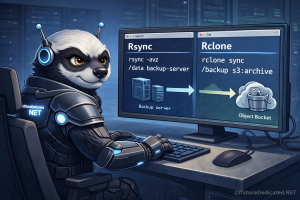
This guide explains how each tool works, where each excels, and how they are commonly used in real hosting environments.
1. What is rsync?
rsync is a file synchronization tool designed for efficiently copying files between systems.
It works by transferring only the differences between files, rather than copying everything again.
This makes rsync extremely efficient for:
- server backups
- incremental file transfers
- mirroring directories
- remote file synchronization
Example command:
rsync -avz /home/user/ backup@remote-server:/backup/user/Explanation:
-a→ archive mode (preserves permissions, timestamps)-v→ verbose output-z→ compression during transfer
rsync is commonly used for server-to-server backups inside hosting infrastructure.
2. How rsync Works (Delta Transfer Algorithm)
The core strength of rsync is its delta-transfer algorithm.
Instead of sending full files, rsync:
- Compares file checksums
- Identifies changed blocks
- Transfers only those blocks
Benefits:
- extremely bandwidth efficient
- ideal for large file trees
- minimal repeated transfers
This is why rsync has remained a standard tool in Linux environments for decades.
3. Limitations of rsync
Despite its strengths, rsync has limitations.
rsync works best when:
- both systems expose a filesystem
- SSH access is available
- storage behaves like traditional disk
rsync does not natively support object storage APIs such as S3.
That is where rclone becomes useful.
4. What is rclone?
rclone is a command-line tool designed to sync files between local storage and cloud object storage services.
It supports more than 50 providers including:
- S3 compatible storage
- Backblaze B2
- Google Cloud Storage
- Azure Blob
- Wasabi
Example command:
rclone sync /backup s3:mybucket/server-backuprclone interacts with storage through APIs instead of mounted disks.
5. Why rclone Became Popular
Modern infrastructure increasingly relies on object storage instead of traditional network disks.
Object storage systems expose APIs rather than filesystems.
rclone bridges this gap by:
- translating filesystem operations
- interacting with S3 APIs
- managing authentication and encryption
This makes it ideal for sending backups to remote storage buckets.
6. Performance Differences
rsync
Strengths:
- extremely efficient for filesystem sync
- minimal bandwidth usage
- fast incremental updates
Weaknesses:
- requires SSH or filesystem access
- not compatible with most object storage
rclone
Strengths:
- supports cloud storage APIs
- built-in encryption
- parallel transfers
Weaknesses:
- no delta algorithm like rsync
- slower for large numbers of small files
Explore Our Servers:
7. Real Backup Scenarios
Scenario 1 — Server to Backup Node
Best tool: rsync
Example:
Primary server → remote backup server
rsync efficiently updates only changed files.
Scenario 2 — Server to Object Storage
Best tool: rclone
Example:
Server → S3 bucket
rclone handles authentication and API communication.
Scenario 3 — Hybrid Backup Architecture
Most professional infrastructures use both.
Example pipeline:
Server → rsync → backup node Backup node → rclone → object storage
This combines:
- fast incremental backups
- offsite disaster recovery
Recommended Reading:
Backups in WHM/cPanel: What Actually Gets Backed Up (and What Doesn’t)
8. Security Features
rsync
- relies on SSH encryption
- supports key authentication
rclone
- supports encryption layers
- supports access keys
- supports server-side encryption
When sending backups to object storage, encryption is strongly recommended.
9. Automation
Both tools can be automated with cron jobs.
Example:
0 3 * * * rsync -av /home /backupor
0 4 * * * rclone sync /backup s3:archiveAutomation allows nightly backups with minimal manual intervention.
10. Which One Should You Use?
The answer depends on your storage architecture.
Use rsync when:
- copying files between Linux servers
- creating incremental backups
- syncing directories
Use rclone when:
- backing up to object storage
- interacting with cloud APIs
- replicating data to S3-compatible services
Many professional environments deploy both tools together.
Conclusion
rsync and rclone are not competitors — they solve different layers of the backup problem.
rsync excels at efficient filesystem synchronization between servers.
rclone excels at interacting with cloud storage systems and object storage APIs.
Using both together allows hosting infrastructures to combine efficient incremental backups with scalable offsite storage.