
Real Infrastructure Triggers (Not Marketing Advice)
Scaling infrastructure is not about ego. It is about predictability.
Many businesses begin on Shared Hosting or VPS environments — and that is perfectly rational. But there comes a point where scaling vertically inside a virtualized environment stops delivering stability.
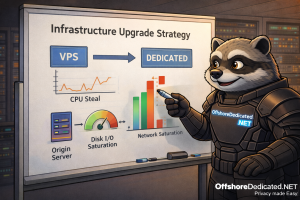
This guide explains when upgrading from VPS (or Cloud Servers) to Dedicated Servers actually makes technical sense, based on measurable infrastructure signals — not generic advice.
If you’re new to how virtualization layers affect performance, you may want to read:
1️⃣ Understanding the Hosting Layers First
Before discussing upgrades, it’s important to understand what you are running on.
Shared Web Hosting
- Multi-tenant
- Resource quotas
- Limited root access
- Ideal for small websites and low resource needs
VPS (Virtual Private Server)
- Virtualized instance on a physical node
- Dedicated resource allocation (but shared hardware)
- Root access
- Controlled scalability
Explore VPS infrastructure here:
Cloud Servers
- Similar to VPS but typically built on clustered infrastructure
- Elastic scaling
- Distributed storage or orchestration layer
Dedicated Servers
- Entire physical machine
- No hypervisor competition
- Full hardware control
See:
Streaming Dedicated Servers
- High bandwidth
- Optimized for sustained media delivery
- Network-heavy workloads
See:
Each layer serves a purpose. The key is knowing when the previous layer becomes the bottleneck.
2️⃣ The Hypervisor Reality: CPU Steal & Noisy Neighbor
A VPS runs inside a hypervisor (e.g., KVM).
Even if your VPS has “4 vCPUs,” those cores are time-sliced on shared physical CPUs.
CPU Steal Time
When the hypervisor schedules another VM instead of yours, your VPS waits.
Symptoms:
- Load average looks normal
- Application latency fluctuates
- Sudden performance inconsistencies
Dedicated servers eliminate CPU steal entirely.
Noisy Neighbor Effect
Other VMs on the same node can:
- Saturate disk I/O
- Consume uplink bandwidth
- Cause CPU scheduling delays
If you experience unpredictable spikes without application changes, hardware contention may be the cause.
3️⃣ Disk I/O & Storage Saturation
Storage performance is often the first invisible bottleneck.
Warning indicators:
iowaitregularly above 10%- Slow database queries
- Backups timing out
- CMS dashboards lagging
On shared VPS nodes, storage arrays serve multiple tenants.
Dedicated NVMe or RAID arrays provide:
- Predictable throughput
- Lower latency
- Consistent read/write behavior
For database-heavy environments, storage stability matters significantly.
4️⃣ Network Ceiling & Port Saturation
VPS nodes share physical uplinks.
If your workload includes:
- Large downloads
- Media delivery
- CDN miss storms
- API-heavy traffic
- High concurrent users
You may hit network ceilings.
Indicators:
- Sustained 70–80% port usage
- Random packet latency spikes
- Upload bottlenecks
Streaming platforms especially encounter this threshold quickly.
Dedicated streaming servers are engineered for sustained throughput.
5️⃣ Kernel-Level & Advanced Tuning Limits
On VPS environments, you often cannot:
- Load custom kernel modules
- Modify scheduler parameters deeply
- Tune low-level TCP stack aggressively
- Implement advanced IRQ optimizations
If your application requires:
- High concurrent connection handling
- Custom firewall logic
- Performance-level tuning
Dedicated infrastructure offers full kernel control.
6️⃣ Resource Growth vs Cost Curve
Many businesses scale like this:
4GB VPS → 8GB VPS → 16GB VPS → 32GB VPS
At some point:
- Cost per vCPU increases
- Performance gains flatten
- Hypervisor contention remains
A mid-tier dedicated server can:
- Offer more consistent performance
- Reduce virtualization overhead
- Deliver better cost-per-core
Scaling is not just about adding RAM. It’s about removing abstraction layers.
7️⃣ Workload-Specific Upgrade Triggers
You should strongly consider Dedicated when:
- Sustained CPU usage above 70%
- Swap usage becomes routine
- I/O wait frequently spikes
- High concurrency traffic
- Video encoding/transcoding required
- Large MySQL workloads
- Compliance isolation required
- You operate privacy-sensitive projects
Dedicated hardware provides clean separation.
If jurisdiction and infrastructure isolation matter, review:
8️⃣ Operational Confidence & Predictability
Sometimes the trigger is not a metric.
It is predictability.
Business-critical platforms cannot tolerate:
- Random contention
- Performance unpredictability
- Hypervisor scheduling noise
Dedicated infrastructure removes one entire class of uncertainty.
9️⃣ When VPS Still Makes Sense
Not every project needs dedicated hardware.
VPS or Cloud Servers remain ideal for:
- Early-stage projects
- Moderate traffic
- Development environments
- Elastic scaling experiments
The correct move depends on workload maturity — not ego.
🔟 Decision Matrix
Stay on VPS/Cloud if:
- Resource usage is stable
- Performance predictable
- No I/O pressure
- No compliance isolation need
Move to Dedicated if:
- Predictability matters more than elasticity
- I/O is bottlenecked
- CPU steal suspected
- Network saturation frequent
- Media or heavy DB workloads
Final Thoughts
Moving from VPS to Dedicated is not about “bigger server.”
It is about:
- Removing virtualization contention
- Gaining hardware-level control
- Improving performance predictability
- Supporting sustained high-throughput workloads
Shared Hosting, VPS, Cloud Servers, Dedicated Servers, and Streaming Dedicated Servers each serve different operational stages.
The real expertise lies in knowing when to move — and why.