

Storage performance affects almost everything a server does. A slow storage device can delay database queries, extend backup times, make websites feel unresponsive, and prevent virtual machines from reaching their expected performance.
NVMe storage addresses many of these limitations by giving solid-state drives a more efficient way to communicate with the server. It can deliver lower latency, greater throughput, and substantially more input/output operations per second than storage based on older interfaces.
However, NVMe does not automatically make every server faster. Its value depends on the workload, the rest of the hardware, and how the server is configured.
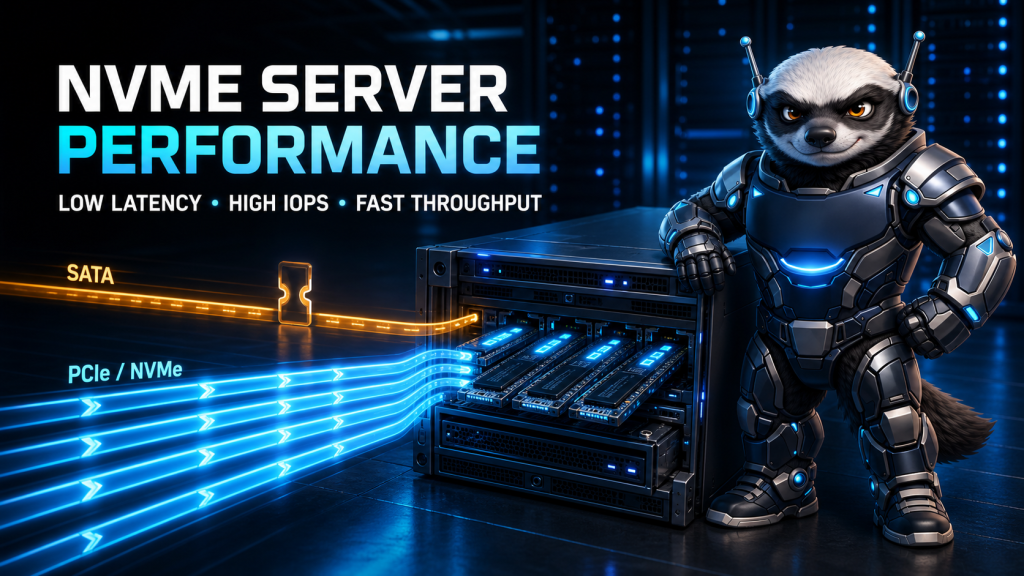
This guide explains what NVMe changes and when that change matters.
What Is NVMe Storage?
NVMe stands for Non-Volatile Memory Express. It is a storage protocol designed specifically for modern solid-state storage.
Traditional SATA SSDs still use an interface and command model influenced by mechanical hard drives. NVMe was designed for flash storage and other forms of non-volatile memory from the beginning.
A locally attached NVMe drive normally communicates with the server through PCI Express, or PCIe. This gives it a more direct, high-bandwidth connection to the processor than a SATA drive has.
The official NVM Express architectural overview describes NVMe as an interface specification optimized for solid-state storage using PCIe.
NVMe can also operate across a network through technologies such as NVMe over TCP, Fibre Channel, and RDMA. In this article, however, we are primarily discussing locally installed PCIe NVMe drives.
SATA SSD vs NVMe SSD
Both SATA and NVMe SSDs use flash memory, so neither one needs to move a mechanical read head like a hard disk drive. The important difference is how the operating system communicates with them.
SATA SSDs use the SATA interface and commonly operate through AHCI. This was a major improvement over hard drives, but its design has a relatively limited command queue.
NVMe supports multiple submission and completion queues. These queues allow the operating system and storage controller to process many requests in parallel.
The current NVMe over PCIe specification explains how NVMe uses paired submission and completion queues over PCIe. A server can create queues according to its hardware and workload instead of forcing all storage activity through one narrow path.
In simplified terms:
- SATA is like sending traffic through a limited number of lanes.
- NVMe provides many lanes for simultaneous storage requests.
- PCIe gives those requests a faster connection to the system.
The benefit becomes especially visible when many processes, users, containers, or virtual machines access storage at the same time.
How NVMe Improves Server Performance
Lower Storage Latency
Latency is the time between submitting a storage request and receiving the result.
NVMe reduces protocol overhead and communicates efficiently over PCIe. This can shorten the time required to retrieve a database page, open a frequently requested file, or complete a filesystem operation.
A difference of a fraction of a millisecond may sound insignificant. On a busy server completing thousands of operations, those small delays accumulate. Lower storage latency can therefore improve both application responsiveness and consistency under load.
Higher IOPS
IOPS means input/output operations per second. It measures how many read and write operations a storage system can complete in one second.
This metric is particularly important for workloads involving numerous small or random requests. Examples include:
- Database transactions
- Busy content management systems
- Email storage
- Virtual machines
- Containers
- Search indexes
- Application caches
- Servers hosting many small files
NVMe drives can process many requests concurrently through their multiple queues. This makes them far better suited to parallel workloads than storage interfaces designed when disks handled requests more sequentially.
Greater Sequential Throughput
Throughput measures how much data a storage device can transfer over a period of time, usually expressed in megabytes or gigabytes per second.
High throughput is valuable when a server must move large files, create backups, restore data, process media, or scan large datasets.
A fast NVMe device can significantly reduce the time required for these operations. Actual results still depend on the PCIe generation, number of available lanes, drive model, filesystem, and workload.
Better Performance Under Concurrent Load
A server rarely performs one storage operation at a time. A hosting server might simultaneously serve web files, write logs, run database queries, generate backups, and support multiple customer accounts.
A virtualization node has an even more demanding pattern because every virtual machine generates its own storage activity.
NVMe’s queue architecture helps the system handle this concurrency efficiently. According to the NVMe Base Specification, queues may be organized around the system configuration and anticipated workload, including arrangements that reduce locking between processor cores.
That parallelism is one of NVMe’s most important server-side advantages.
Server Workloads That Benefit from NVMe
Databases
MySQL, MariaDB, PostgreSQL, and similar database systems perform frequent reads, writes, transaction-log updates, and cache operations.
NVMe can reduce the time spent waiting for storage, especially when the active dataset does not fit entirely in RAM. Faster storage may improve query response times, transaction processing, index creation, and database recovery.
It will not fix inefficient queries or missing indexes, but it can remove storage as a major constraint.
Web Hosting
A lightly visited static website may not show a dramatic difference between a good SATA SSD and NVMe storage. A busy hosting server is another matter.
Multiple websites may access databases, session files, caches, logs, email data, and customer files simultaneously. The greater concurrency and IOPS available from NVMe can help the server remain responsive during peak activity.
Users choosing offshore dedicated servers for demanding applications should evaluate storage performance alongside the processor, memory, and network port.
Virtualization and Containers
Virtual machines produce mixed and unpredictable storage requests. One VM might be updating packages while another runs a database and a third writes application logs.
Because all those requests eventually reach the underlying storage, a slow device can affect every guest on the node.
NVMe is particularly useful for virtualization hosts because it can process many simultaneous requests with lower latency. It does not eliminate the need for sensible resource limits, RAID planning, and capacity management, but it provides a much stronger storage foundation.
Backups and Data Processing
NVMe can accelerate the local reading, compression, staging, and restoration of backup data. It can also help with video processing, log analysis, software builds, and large imports.
The final backup speed may still be restricted by the destination. A fast local NVMe drive cannot make a remote backup server or slow network connection transfer data beyond its own limit.
What NVMe Will Not Fix
NVMe should not be treated as a universal performance cure.
A server may remain slow after an NVMe upgrade if its actual bottleneck is:
- Insufficient RAM
- An overloaded processor
- Inefficient application code
- Poorly designed database queries
- A congested network
- External APIs
- Incorrect filesystem or database settings
- Limited virtual machine resources
For example, replacing a SATA SSD with NVMe may not noticeably improve a website whose pages are delayed by an external payment API. It also will not solve high CPU usage caused by a badly behaving application.
Performance work should begin by measuring the system rather than assuming the disk is responsible.
How to Check for NVMe Storage on Linux
The following command shows block devices, models, transport types, and sizes:
lsblk -d -o NAME,MODEL,TRAN,SIZE
NVMe devices usually have names such as:
/dev/nvme0n1 /dev/nvme1n1
If the nvme-cli package is installed, you can list NVMe devices with:
sudo nvme list
You can also look for an NVMe controller on the PCI bus:
lspci | grep -i “non-volatile”
Linux includes native NVMe support, although supported capabilities depend on the kernel, device, and official specifications. The Linux kernel NVMe documentation provides more detail about its driver policy.
To observe general disk behavior, install the package that provides iostat and run:
iostat -xz 1
Pay attention to device utilization, queue activity, throughput, and I/O wait. Avoid running aggressive benchmarks on a production server unless you understand how they may affect live services and stored data.
Enterprise NVMe vs Consumer NVMe
Not every NVMe drive is suitable for a production server.
Consumer drives may provide impressive short-term benchmark results but behave differently during sustained writes. They may also have lower endurance ratings or lack features important to servers.
When selecting NVMe storage for production, consider:
- Write endurance
- Power-loss protection
- Sustained rather than burst performance
- Thermal management
- Firmware quality
- Warranty and workload rating
- Drive health monitoring
- Replacement availability
Cooling is especially important. An NVMe drive may reduce its performance when it becomes too hot. A properly designed server chassis should provide suitable airflow across its storage devices.
NVMe Does Not Replace RAID or Backups
Fast storage is not automatically reliable storage.
An NVMe drive can still fail. RAID may provide redundancy or performance benefits, depending on the selected level, but RAID is not a backup. Accidental deletion, filesystem corruption, ransomware, and administrative mistakes can affect every member of an array.
Production systems still require:
- Tested backups
- Off-server or off-site copies
- Drive health monitoring
- A documented recovery procedure
- Appropriate RAID or replication where availability requires it
Performance, redundancy, and backup protection solve different problems.
Is NVMe Worth It for Your Server?
NVMe is usually a strong choice when your application performs frequent storage operations, serves many concurrent users, runs databases, or hosts multiple virtual machines.
A SATA SSD may remain sufficient for a small website, low-traffic service, secondary backup destination, or workload limited by another component. Paying for faster storage offers little value when the application rarely waits for disk access.
Before upgrading, ask:
- Is the server showing high I/O wait or storage latency?
- Does the workload involve many small, random operations?
- Are multiple services or virtual machines competing for disk access?
- Is backup, restore, or data-processing time important?
- Can the server provide the required PCIe lanes and cooling?
- Does the selected drive have suitable endurance and power-loss protection?
- Will the rest of the system keep up with the faster storage?
Final Thoughts
NVMe improves server performance by combining a storage-focused protocol with PCIe connectivity and a highly parallel queue architecture.
Its greatest advantages are lower latency, higher IOPS, stronger throughput, and better behavior under concurrent demand. Databases, busy hosting platforms, virtualization nodes, and data-intensive applications are therefore among the workloads most likely to benefit.
The correct decision still begins with measurement. NVMe can remove a serious storage bottleneck, but it cannot compensate for insufficient memory, overloaded processors, slow networks, or inefficient software.
When the workload genuinely depends on storage, however, NVMe is one of the most meaningful server upgrades available.