In virtualized infrastructure, the terms “snapshot” and “backup” are often used interchangeably. They are not the same.
Understanding the architectural difference between snapshots and backups is critical when designing resilient Cloud, VPS, or Streaming environments. Misunderstanding this distinction is one of the most common causes of incomplete disaster recovery planning.
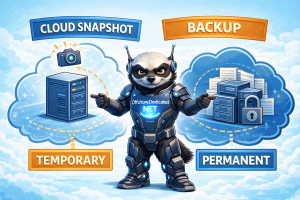
This guide explains how snapshots work at the hypervisor and storage layer, how backups operate differently, and when each is appropriate.
1. What Is a Cloud Snapshot?
A snapshot is a point-in-time state capture of a virtual machine disk volume.
In most Cloud infrastructures, snapshots operate at the block-storage layer and are managed by the hypervisor or storage backend.
Snapshots typically:
- Record disk block changes
- Use copy-on-write (COW) mechanisms
- Depend on underlying storage availability
- Are optimized for fast rollback
Snapshots are designed for short-term recovery — not long-term archival.
2. How Snapshots Actually Work (Architecture-Level)
When a snapshot is created:
- The storage system marks the current state.
- Future changes are written to new blocks.
- The original blocks remain preserved for that snapshot reference.
This means:
- Snapshots share storage with the original disk.
- They rely on the same storage array.
- They do not duplicate the entire dataset immediately.
If the underlying storage fails, snapshots fail with it.
This is why snapshots are not backups.
3. What Is a Backup?
A backup is an independent copy of data stored separately from the original production storage.
Backups:
- Can be file-level or image-level
- May be incremental, differential, or full
- Can be stored offsite
- Can be immutable
- Are designed for long-term retention
Backups survive:
- Disk failure
- Data center incidents
- Cloud region outages
- Accidental deletion beyond snapshot retention
For a deeper architectural view of layered backup strategy, see:
👉 How Modern Backup Architectures Actually Work (Incremental, Snapshot…
4. Snapshot vs Backup — Direct Comparison
| Feature | Snapshot | Backup |
|---|---|---|
| Storage Location | Same storage backend | Separate storage |
| Protection From Hardware Failure | ❌ No | ✅ Yes |
| Long-Term Retention | Limited | Designed for it |
| Offsite Capability | Usually same region | Yes |
| Ransomware Protection | Weak | Strong (if immutable) |
| Restore Speed | Very fast | Moderate |
| Storage Efficiency | High (COW) | Depends on method |
Snapshots provide speed. Backups provide survivability.
5. Where Snapshots Make Sense
Snapshots are ideal for:
- Pre-upgrade rollback points
- Short-term testing
- Rapid deployment cloning
- Application-level experimentation
- Temporary state capture
Cloud Servers frequently leverage snapshot capability for operational agility.
Cloud infrastructure overview:
6. Where Backups Are Required
Backups are required for:
- Regulatory retention
- Disaster recovery
- Long-term archival
- Security incident recovery
- Data corruption beyond snapshot window
Streaming Dedicated infrastructures, particularly media-heavy environments, require backup strategies that are bandwidth-aware and offsite capable.
Streaming infrastructure overview:
7. Common Misconceptions
• “We take daily snapshots, so we’re safe.”
• “Cloud provider snapshots are offsite.”
• “Snapshots protect against ransomware.”
• “Snapshots equal backups.”
Snapshots protect against operational mistakes. Backups protect against systemic failure.
8. Hybrid Model: The Correct Architecture
Modern infrastructure uses both:
Layer 1: Snapshot for rapid rollback
Layer 2: File-level backup for account recovery
Layer 3: Offsite backup for disaster recovery
Layer 4: Immutable backup for ransomware defense
This layered approach ensures performance and survivability coexist.
For account-level backup behavior in cPanel environments, see:
👉 Backups in WHM/cPanel: What Actually Gets Backed Up (and What Doesn’t)
9. VPS vs Cloud vs Dedicated Considerations
VPS
Snapshots may be limited depending on hypervisor design. External backups recommended.
Cloud Servers
Snapshot integration is native. Offsite backup still required for region-level protection.
Dedicated Servers
No hypervisor snapshot layer. Image-level or remote-node backups required.
Dedicated infrastructure overview:
Conclusion
Snapshots and backups serve different architectural purposes.
Snapshots enable speed and flexibility. Backups enable resilience and recovery.
Confusing the two creates hidden risk.
In production-grade Cloud, VPS, Dedicated, and Streaming infrastructures, both must be implemented — but never substituted for one another.